Learn how to set up, program, and troubleshoot your Petlibro Automatic Cat Feeder 📘🐾. This guide walks you through everything from portion settings to voice recording and cleaning routines, ensuring your cat is always fed on time 🐱🍽️.
Introduction
The Petlibro Automatic Cat Feeder Manual 📘🐾 is the essential guide for anyone who wants a reliable, consistent, and easy way to feed their cat automatically. Whether you’re using the Wi-Fi version or the standard programmable model, this step-by-step introduction will help you understand how to set up the feeder, customize meal times, adjust portion sizes, and ensure your pet enjoys stress-free, scheduled meals every day 🐱🍽️.
One of the biggest advantages of the Petlibro feeder is its ability to create predictable feeding routines, which are incredibly important for cats. Scheduled meals help reduce anxiety, prevent overeating, and maintain a healthy weight. The feeder allows you to program multiple meals per day, record personalized voice prompts, and even back up power using batteries, ensuring your cat never misses a feeding—even during power outages ⚡🔋.
In this introduction, we’ll walk through each step of the installation process, including assembling the food tank, inserting desiccant bags, connecting power, and navigating the control panel or app. You’ll learn how to program feeding schedules, define portion sizes based on kibble shape, and switch between manual and automatic modes for flexibility 🕒🥣.
We’ll also cover essential maintenance tips such as cleaning the food tray, preventing kibble jams, and keeping the food fresh using the built-in moisture control system. For Wi-Fi-enabled models, you'll learn how to pair the feeder with the app, set cloud-based schedules, and receive feeding notifications on your phone 📱🐾.
By the end of this guide, you’ll feel fully confident using your Petlibro Automatic Cat Feeder to give your pet consistent, healthy, and stress-free feeding—whether you're at home or away ✨🐱.
Main
If you just purchased a Petlibro Automatic Cat Feeder or are trying to understand how to properly configure feeding schedules, clean the dispenser, or troubleshoot common issues, this guide provides everything you need. Below, you’ll find a fully detailed, step-by-step manual designed to ensure your feeder works flawlessly and keeps your cat fed consistently — even when you're away. This tutorial is compatible with most Petlibro models, including the PLAF101, PLAF005, Granary Series, and Wi-Fi-enabled versions.
🛠️ 1. Unboxing & Assembly
Each Petlibro feeder model comes with slightly different accessories, but the core components are similar. Inside the box, you’ll typically find:
- The main feeder body
- Food container (hopper)
- Desiccant compartment or drying bag
- Stainless steel or plastic food bowl
- Power adapter and cable
- Backup battery compartment
🔧 Assembly Steps
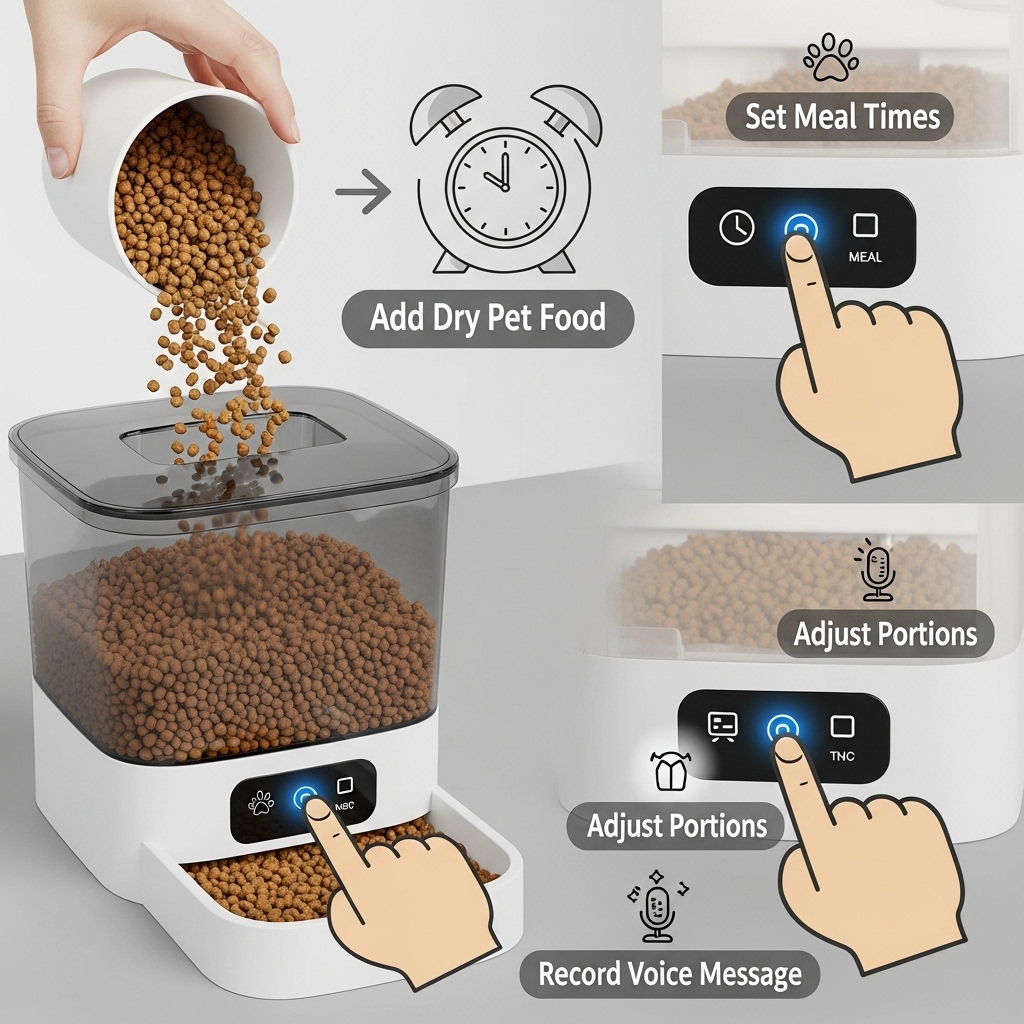
- Secure the food hopper to the feeder base, ensuring it locks properly into place.
- Insert the desiccant pack inside the lid to keep the kibble fresh.
- Attach the feeding bowl at the bottom outlet chute.
- Plug the feeder into a power source and insert backup batteries (AA or D, depending on the model) to prevent outages.
Tip: Always wash the bowl before first use to remove factory residues.
⌚ 2. Programming Feeding Schedules
Petlibro feeders allow you to set multiple meals per day and adjust portion sizes with precision. The number of meals varies by model — most support 1 to 6 portions daily.
📲 For Button-Only Models
- Press Menu to enter programming mode.
- Use the arrow keys to set the current time.
- Select “Meal 1,” then set the meal time and portion count.
- Repeat the steps for additional meals.
- Press Save or exit the menu to confirm.
🌐 For Wi-Fi/App Models (PLAF005 or Granary Wi-Fi)
- Download the Petlibro app (iOS or Android).
- Connect the feeder to your 2.4GHz Wi-Fi network.
- Add the device inside the app dashboard.
- Create feeding schedules with the intuitive timeline controls.
- Optionally enable voice recording for mealtime announcements.
Tip: For cats who rush their food, divide one large meal into three smaller ones to prevent vomiting and overeating.
🍽️ 3. Portion Size Guidelines
Each portion dispensed by a Petlibro feeder equals approximately 5–10 grams, depending on kibble size. Here are general guidelines:
- Kittens: 20–30 g per meal, 3–4 meals/day
- Adult cats: 50–70 g per day (split into 2–3 meals)
- Senior cats: Adjust portions based on digestion and energy level
Always check your veterinarian’s recommendation for ideal caloric intake.
🧼 4. Cleaning & Maintenance
To keep the feeder functioning smoothly, clean it every 1–2 weeks. Cats can detect stale food easily, and internal buildup may lead to clogging.
Cleaning Steps
- Unplug the feeder and remove batteries.
- Detach the hopper, bowl, and food wheel (if removable).
- Wash all non-electronic parts with warm water and mild soap.
- Dry thoroughly before reassembling.
- Wipe the main unit with a damp cloth — never submerge it.
Tip: Replace the desiccant bag every 2–4 weeks for optimal freshness.
🚨 5. Troubleshooting Guide
⚠️ Feeder Not Dispensing Food
- Check if the kibble is too large (ideal size: 2–12 mm).
- Ensure the food wheel isn’t jammed.
- Remove excess food from the chute.
- Confirm that the portion size is not set to 0.
- Restart the device.
⚠️ Wi-Fi Not Connecting
- Verify the router is using 2.4GHz (not 5GHz).
- Keep the feeder within 10 meters of the router.
- Reset the feeder’s network settings using the back-button.
⚠️ Voice Recording Not Playing
- Ensure voice volume is turned on in the app.
- Re-record the message using a louder tone.
- Check if scheduled meals are configured to play audio.
💡 6. Safety Tips & Best Practices
- Always use dry food only — Petlibro feeders are not designed for wet food.
- Keep the unit away from moisture and direct sunlight.
- Use batteries as a backup to avoid power-related feeding interruptions.
- Test portion output once a month to ensure consistency.
- Avoid placing the feeder where your cat can knock it over.
❓ 7. Frequently Asked Questions
Can it feed two cats?
Yes, but use a splitter or a double bowl accessory to ensure equal distribution.
How long does the food last?
The hopper typically stores 2.5–4 liters, enough for 5–10 days depending on meal size.
Is the feeder noisy?
The motor is quiet, though your cat may hear the internal rotation during dispensing.
Does the feeder stop ants?
Some models include a sealed top and silicone ring. For extra protection, use an ant-proof mat under the feeder.